Friday, May 3, 2024

70 Brightest Medium Length Layered Haircuts and Hairstyles for 2024

medium hair length layered

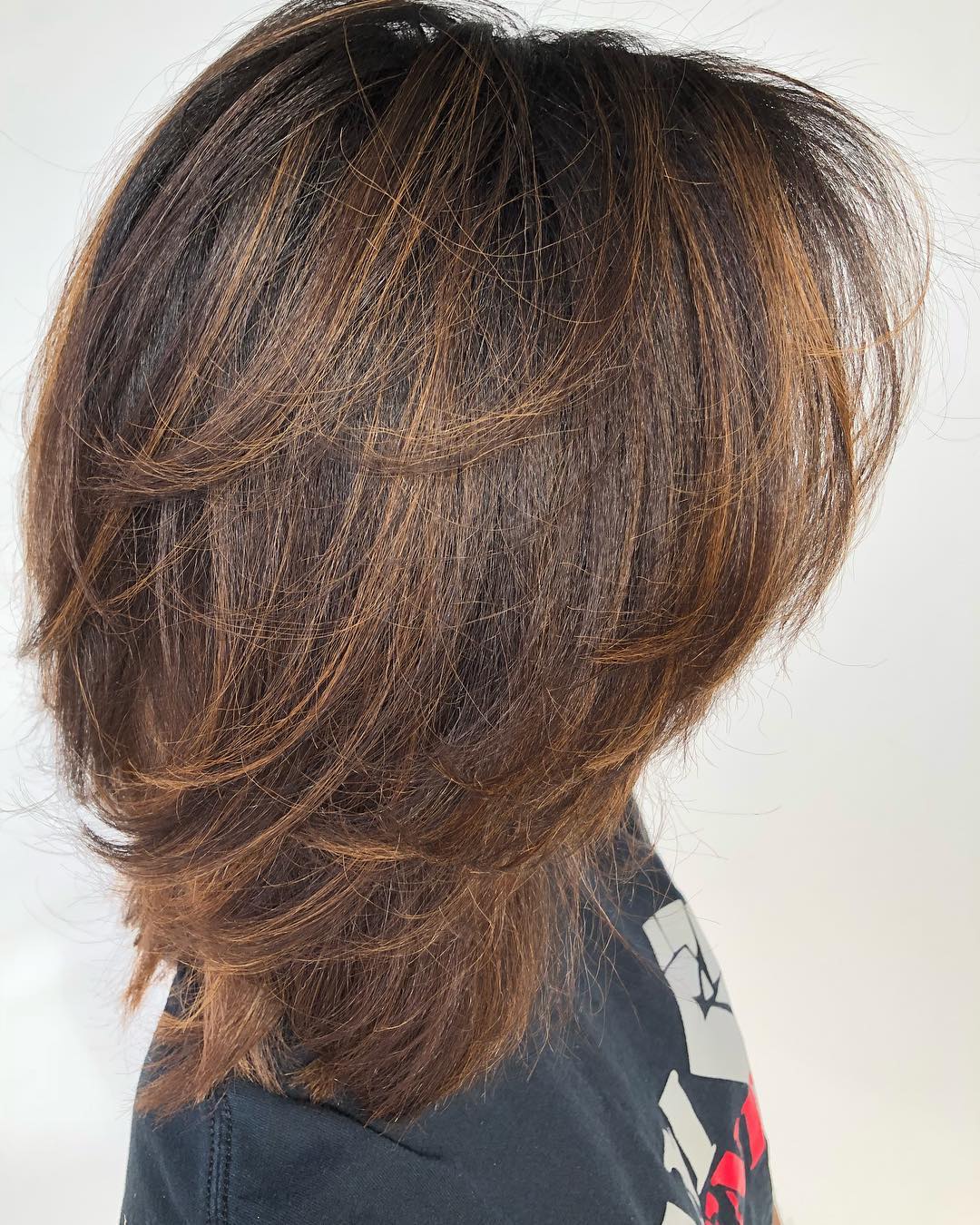
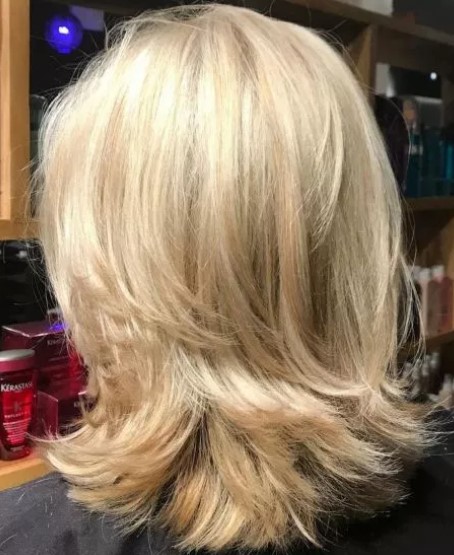
The back view also showcases cool haphazard styling with flipped out ends. Famously known for experimenting with her strands, we applaud Taraji P. Henson for this mermaid-worthy look. If you're looking for the perfect antidote to unpredictable strands—that is also au naturel—then give these DIY curl cream recipes a shot. Sometimes, the best way to balance your face is by switching up the part.

Shoulder Length Hair with Feathered Layers

These Haircuts Are Going To Be Huge In 2024 - Southern Living

These Haircuts Are Going To Be Huge In 2024.

Posted: Tue, 09 Jan 2024 08:00:00 GMT [source]

A two-tone layered wolf cut with dip dye is one of the best edgy hairstyles. Perfect if you have medium to fine strands, adding stylish layers can give you a lot of nice texture. If you looking for a low-maintenance cut, try layered short hair with long bangs. A medium-length cut with layers will make your tresses look naturally sweet and simple. With little to no fuss, long bangs will bring movement and body to your locks for no-stress styling. Embrace an effortlessly cool vibe with a tousled mullet featuring bangs and shaggy layers.

Extra-Long Layers

” We think you’re going to love the way these simple changes shake up your look. Hitting just past the chin, a good midi lob is a great way to makeover your look without going too short. It’s very flattering on heart, oval, and square faces – leave the length a touch longer for a round face. Long, sliced layers remove bulk and give this bob tons of swingy movement. It’s no surprise that not everyone has the time to sit in front of a mirror to style their hair or even squeeze out time for an appointment with a stylist. You get to enjoy a fashionable hairstyle and still save time from regular upkeep.

Birkin Bangs

“There are so many ways to customize the layers for the individual,” adds celebrity hairstylist Xavier Velasquez. “Whether you’re adding movement, framing the face, or removing bulk. The piecey layers give the look a heavy dose of volume, which you may not be used to if you have fine, straight hair. The rest of the cut can be layered according to your preferences. You can do a lot of layers for a shaggy look or go for more subtle layers so that the focus will be on your bangs. If your hair isn’t naturally wavy, you’ll have to add the waves to your hair manually using heated or heatless methods.

A wispy shoulder-length haircut is perfect for fine hair as it’s an incredibly fun and playful cut with a lot of texture throughout the ends. I would use a razor or a slicing technique to taper the ends. Texturizing and layering is an ideal way to de-bulk and add movement to your dense fine hair. Short choppy layers on shoulder-grazing wavy hair should be your go-to cut if you want a change from long hair.

Curly Tapered Lob With Soft Layers

Medium-length layered haircuts are the best way to create movement, dimension, and versatility with your hair. If you have a round face, try a haircut featuring medium straight hair with long side bangs and layers. The long side-swept bangs draw attention to your eyes and help elongate your round face. Textured bangs are especially flattering on brunette, medium-wavy hair.

To make the most out of your mid-length cut, ask your stylist for layering. Subtle layers help to lift the hair and make waves more defined, resulting in a dazzling look. If you want to go a more classic route, straight layered hair with long curtain bangs sounds like a great idea.
medium hair length layered

Choppy Bob with Face-Framing Layers

You’ll need your blow dryer and a round brush to recreate this effortless hairdo. Using your blow dryer with a concentrator nozzle, blow the air down your hair, not up, to reduce frizz. If you’d rather use your flat iron, make a big D shape as you run the iron down the length of your hair.

This haircut draws attention to your best features and balances your face shape. If you want to try a new hairstyle with bangs, consider the option of a see-through fringe with medium layers. Adding layers to a medium or long hairstyle can give your hair bounce and depth. After that, use a curling iron when your hair is no longer damp. Finally, apply dry texture spray all over your hair to get the perfect, airy volume. A round bob with thin bangs and soft layers is one of the most elegant and timeless medium-length hairstyles.

"For round faces, longer layers or side-swept bangs can add length and create a more elongated shape," says Maine. Whoever said wavy hair can't be glossy was clearly mistaken. Just take one glance at Ashley Graham, who stuns with subtle layers, a chestnut hair color, and ultra-shiny locks. If choppy layers aren't your thing, they're about to be thanks to Julianne Hough's edgy bob. To replicate at home, use a flat iron to create undone curls all around your head.

There are countless manipulations for shoulder length layered hair. A long bob with flipped ends is a simple yet polished approach that everyone can incorporate into their personal look book. This hairstyle is easy to achieve either with a straightening iron or a blow dryer and a round brush.

Fine and thin locks require subtle layering throughout the cut or only face-framing layers to avoid losing their density, while getting movement. Layered waves look more airy and youthful, especially when fashionably disheveled. Even curly hair stands to gain from layering despite the well-known rule of blunt ends adding weight and minimizing frizz. Add mid-length layers to your thick hair to achieve a style without taking away too much length. Adding in some short to medium layers creates tons of volume and movement. To style a lob, along with other medium to short hairstyles, add alternating curls with a one-inch curling iron and finish with a texture spray.

Ask your stylist for short layers to release the weight and create a wispy shape. A feather or straight razor can be used to cut and maximize the effect. A layered hairstyle works well on straight and curly hair textures. Consider a voluminous layered cut with heavy side bangs, especially if you have thick hair.

The look is still soft in that coveted I-just-woke-up-like-this way but frames the face in an entirely different manner. "Half-up styles like topknots, space buns, and half ponies all look great on mid-length hair," notes Maine. Actress Ella Balinska makes a serious case for retro sweetness with a glossy half-up style that descends into bouncy ends.

40 Chic Shoulder-Length Layered Haircuts For All Textures

medium hair length layered

Style with a few spritzes of texturizing spray for effortless waves. Roszak says to match your medium-length hair with medium (or even short) layers. She says these defined layers will enhance curl pattern, add shape, and create more bounce. Velasquez likes square layers for hair that grazes just at the collarbone. Kim adds that this soft layering will help give fine hair the illusion of volume.

#26: Layered Shag on Dimensional Blonde Hair

Steer clear from this style if you have a pointed jawline because it will make it look more defined and harsh. Well, make your style appear fuller by thinning the ends of your hair. With thin hair at the bottom and more hair at the top, you will add more dimension to your look, even if the layers are straight. The beauty of this mid-length hair with layers is the symmetry. The layers are consistent and even give an illusion that your salon stylist was doing the math when laying them one after the other. Some highlights would lift the style and show the symmetry of the layers.

Why Does My Hair Curl Inwards? How to Stop My Hair From Curling

The bangs look perfect and the layers are just right, making it perfect for Asians with black hair. This textured wolf haircut takes face-framing to the next level with adorable wavy layers and bangs that outline the shape of the model’s face. For ladies into dark brown styles, it’s a no-brainer haircut. I find myself admiring the excellence of certain Barbie haircuts a lot, and if you also do, this Barbie blonde cut is your style. Its perfect blonde and alluring layers make it one of the best styles I’ve seen, ever, not just among medium-length haircuts with layers and bangs. Wavy layered medium-length hair maintains the length of the hair while also adding movement and fullness.

Red Lob with Wispy Fringe

The balayage gives dimension to show off the textures of your cut. For a feminine and stylish look, try adding feathery layers to your cut. With just the right amount of texture and volume, you can create a style that will make you feel confident. This style is great for oval, heart, and diamond face shapes.

Unevenly-Cut Messy Lob Medium Length Hair

If you’re really bored with your flat hair, that means your hair is missing texture and volume. Here is a perfect example of the transformation a few layers can do and make the hair look so much healthier and bouncy. We love the warm bronde tones and chunky layers, which together create a sophisticated effect. Curl up your shoulder-length layered hair and work your fingers through waves to achieve this elegant beachy style that will last a couple of days.

"Spray Got2b Glued Hairspray ($7) on the root for a strong hold," she instructs. Incredibly subtle, yes, but the layers in Sienna Miller's hair help to add some structure to her longer length. Plus, a few layers around the shoulder can prevent long hair from looking unloved. A quick spritz of sea salt spray will get you her undone finish. We love the wearability of curtain bangs as they bring softness to the face and can be styled so many ways. Zendaya's long layers are the perfect length to complement her glossy straight locks.

This layered cut is amazing, but this French coffee beans-inspired brown hue made me put it here. The dimensional French roast hue is perfect for women with cool skin tones and the way it highlights the layers makes the hair look even more voluminous. Even though layers aren’t so visible on curly hair, it doesn’t mean they give any less volume to the hair. A layered cut will revive your curls and make them bounce on every step you make. Layers are the ultimate hack for adding volume, bounce, and movement to the hair!

16 Best Layered Haircuts For Every Hair Type & Length - InStyle

16 Best Layered Haircuts For Every Hair Type & Length.

Posted: Thu, 16 Feb 2023 08:00:00 GMT [source]

Choppy Lob

medium hair length layered

This lob is all about the cut, with a shaggy fringe blending seamlessly into the rest of the hair. Ask your stylist to keep the fringe longer on the sides to replicate layers. However, according to hair industry pros Adir Abergel and Anastasia Stylianou, layered, medium hair can be extremely versatile and fun to play with. Layered haircuts for medium-length hair look even more stylish with bangs. This is a more conservative shag that was cut with a feather plier razor.

So, your stylist should guide you on how to care for chemically treated hair using masks and treatments. Straight bangs can be a great statement piece for a messy lob cut. Shoulder-length hair with bangs can be scary for some, but they can look great, especially when paired with choppy layers.

medium hair length layered

Long, subtle layers allow for gathering your hair into a low ponytail or bun, making such a haircut a more versatile option than choppy layers. Instead of trying to tame your thick wavy hair, consider letting it go wild with one of the mid-length layered hairstyles. While shaggy layers make for more volume, they’re lighter and easier to keep in place.

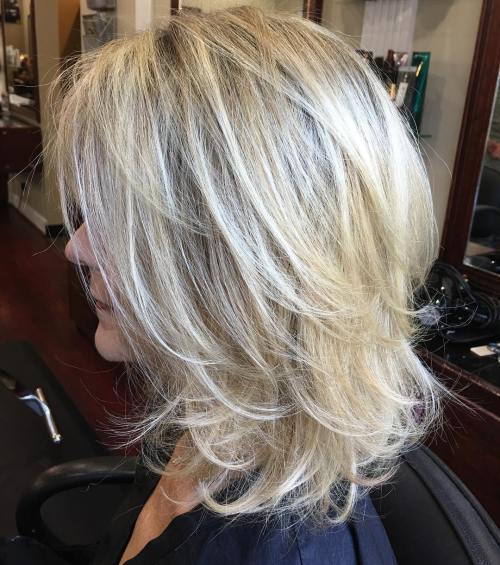
If you’ve got more than one tone in your hair, then you’ll need layers to match that variety. Not everyone can handle fringy layers, but multi-dimensional color comes to life with them. In the early 2000’s this cut would be known as “the rachel” haircut after Jennifer Aniston. This haircut’s main components consist of the main layers falling right at and below the cheekbones.

The light brown and subtle blonde highlights mimic the natural lightening effects of the sun, and the layering creates volume. This playful tousled bob is paired with full, wispy bangs that frame the face beautifully. The layered cut introduces a voluminous look, with piecey strands casually flicking out for an effortlessly chic vibe. Consider this gorgeous display of layered waves that cascade down, creating a full-bodied look with plenty of movement. The warm caramel balayage on a rich brown base adds dimension, mimicking the natural highlights from the sun.

Consider textured messy layers with a deep side part if you have medium-length hair. It’s for anyone looking to give their coif some extra volume or texture. The layers can be blown out from roots to tips or curled into soft waves using mousse or serum. It depends on what type of product best suits each individual’s strands. It is a blessing when your chosen look can make fine or thin hair look thicker. Jazz up your hairstyle with soft curls to accentuate your blonde, or wear it straight like the model in the picture above for a sleek look.

Medium-length hairstyles are so trendy right now as they allow you to style easily while keeping it low-maintenance and simple. When styling your hair, you may be able to get away with some air-dry cream. When working with chemically treated hair, I strongly recommend you pair heat styling with heat protection. Firewall by AG is a shield of silk that adds shine and manageability. You might want to change things up, and a swoop bang gives a fresh style so you can enjoy the grow-out. Blonde color with layers helps showcase the dimension and pairs well with a style change.

Just look how this African American woman achieves a bouncy feel through well-defined spirals and beautifully cut layers. Many of my clients over 50 love layered haircuts for medium hair. The key to this stunning shoulder-grazing chop lies in its blended layers.

How to design for 3D printing optimize your 3D models for print

design 3d print

Brims create suction and hold down the edges of your part by helping it stick to the bed. Assess your printing material and the height of your wall to determine whether it needs additional support. A wall that's already bolstered by ribs or webs (we'll get to those soon) can be thinner than a freestanding wall. Overhangs that stretch effortlessly out into the ether on your iPad screen may come crashing down into a melted plastic mess from your printer. Perfectly concentric holes in your model may better resemble a deflated basketball in the real world.

Printing holes

To ensure optimal strength, manufacture in additive layers parallel to the layers of your object. Before printing, add an additional tolerance between 0.5-1 mm to your model to make up for any heat shrink or imperfections. Small blobs on a tight-fitting thread will act like sand in a gearbox, making it impossible to screw the part on. Regardless of size, removing supports and polishing your prototype will take some work after your print. The image below shows a 'Y' model with arms that begin with an overhang less than 45 degrees. Notice that further up the arms where the overhang reaches beyond 45 degrees and would require supports, the integrity of the print breaks down.

3D Printing Industry Statistics (2024 Update)

Additionally, you can draw a 2D base for your eventual 3D model using their Sketcher Workbench tool, and use that blueprint to then build up your 3D design. Heavily adopted in architecture, rapid prototyping for product design, and especially in mechanical engineering, FreeCAD has everything you need to create great prototypes, vehicle models and other fun projects. If you notice that some of the layers are not level or sticking together, you may have drafts of cool air moving through your print job. This can be fixed by moving your printer to a location away from any vents, doors, or windows. Alternatively, many 3D printing enthusiasts choose to build an enclosure around their printer to prevent any air from moving over their parts while they're being printed. Ideally, you will want self-tapping screws that are around 3/8 inches in length.

Trials of Paid Software

The software we'll be using today is the free, web-based 3D modeling platform Onshape. If you are still hesitating to share your models on Cults, feel free to read this article Why publish my designs on Cults? Cults3D is an independent, self-financed site that is not accountable to any investor or brand. Almost all of the site's revenues are paid back to the platform's makers. The content published on the site serves only the interests of its authors and not those of 3D printer brands who also wish to control the 3D modeling market. Even though it isn’t the most user-friendly software, it hosts a large set of features while running smoothly.

‘repair society’ invites stronger bonds with used objects

The molten plastic that comes out of the extruder also has a habit of "melting" a bit around the edges, which can cause holes to shrink. In addition, using self-tapping screws forces some of the material to move out of the way, which can cause stress and fractures in the plastic. As a result, we'll need to oversize the drill holes by 0.01 to 0.02 inches.

printing (

The learning curve is not too steep, and Rhino themselves include a wide variety of tutorials to most of the complex tools available. Overall, it’s another good 3D printing software option for designing printable 3D models. The second section of this list of the best 3D printing software tools focuses on programs that help you to execute a 3D print. Slicers are the easiest way to go from a 3D model to a printed part because they take a CAD model, slice it into layers and turn the model into G-code.

Step 1: Create a Free Onshape Account

3D printing is done layer by layer from the ground up and the printer can print at an angle without any issues or loss in printing quality as long as that overhang angle isn’t too steep. Imagine printing a round sphere where the bottom is rounded as well. Fusion 360 (Link to Review) is probably the best-known CAD currently being used by 3D printing enthusiasts since it’s extremely powerful and capable of creating every 3D model imaginable. The Army Corps of Engineers provided most of the funding for the new printer, which cost several million dollars, said Dannel Malloy, chancellor of the University of Maine System. It was built by the university in collaboration with Ingersoll Machine Tools Inc. for construction of the printer and Somatex for the supporting structure, officials said.

Best Free CAD Software For 3D Print Prototyping

design 3d print

To anticipate and prevent these challenges, keep each guide item in mind during your design process. The more beginner-friendly options will serve you well if you’re simply testing the waters or only have a basic print in mind. Schools and educators favor TinkerCAD across the globe for its effortless ease of use, intuitive design, and colorful interface.

POWERFUL 3D SOFTWARE

Nerds will love some user-uploaded attempts to replicate Batman’s grenade launcher, the 3D printable battle scene from the Avengers, or even a Buddha status with Yoda’s head – because why not? There’s a huge variety of great files and projects here, and you also have the option to pay a small fee (usually a few dollars) for premium 3D files. ABS plastic usually requires a hotter extruder to melt (vs. PLA), and as a result, is more prone to warping. You can try switching to PLA or tell your slicer program that you want to try printing with a brim (think of it like the brim of a hat) or raft. Since we did not place any mounting holes for our Arduino Pro Mini in the box, we will need to adhere the PCB using some double-sided tape or hot glue. It's recommended that you watch the print for the first few minutes to make sure that your first layer sticks to the bed properly.

design 3d print

If you don’t mind honing your knowledge and skill, then advanced programs like Fusion360 and Blender are good options. The real draw is that DesignSpark achieves this without the complexity of most pro-geared CAD programs thanks to intuitive design tools, support for common file formats, and user-friendly interface. Though not specifically geared to 3D printing, FreeCAD does ease the process of preparing models for printing with file export options that include OBJ and STL.

Don’t Miss the Free Virtual Event ADDITIV Design World - 3Dnatives

Don’t Miss the Free Virtual Event ADDITIV Design World.

Posted: Mon, 29 Apr 2024 14:01:55 GMT [source]

To create a better thread, round the crest and roots in the design process — sharp edges tend to concentrate stress. To avoid broken 'arms and legs,' add triangle supports or 'ribs' around protruding pieces to support the base. Ribs strengthen fragile protruding features by supporting perpendicular angles. Without additional support around their bases, these structures are more likely to snap off. If you're printing a piece that has a protruding feature jutting out from the base, you'll run the risk of that piece breaking, even during the printing process. This technique minimizes the need  to use supports, but only when you orient the part facing upwards, which limits object rotation.

Another feature that new users might find useful is the pull feature that allows users to create 3D models from only a surface. It is feature-rich for a free software and quite beginner-friendly. Blender is actually a free 3D modeling software which was originally for 3D animation and rendering using polygonal modeling techniques. Despite its origins as a software for artists, it is considered quite accessible. One of the software’s interesting features is the photorealistic rendering option. This gives the models an air of realism that few free software can achieve.

Thursday, May 2, 2024

Getting Started with 3D Printing Using Tinkercad

design 3d print

This open-source software has a steep learning curve and is ideal for users who feel ready to transition to designing complex 3D models. With a library of literally millions of files, users can find shapes that suit them best and manipulate them as they wish. It also has a direct integration with 3rd party printing services, allowing you to print and have your print at your door-step at the press of a button. Even though it can be a bit too simple to the point of limitation, it serves as a great way to learn about 3D modeling. By contrast, software that uses polygon modeling can generate walls that have zero thickness; that’s fine for creating computer graphics for games and movies but not useful when 3D printing the models. Manifold models can be created with polygon modeling software, it just takes more steps and experience.

Slicing software

See 6 affordable 3D printed homes that could be built for $99,000 or less - Business Insider

See 6 affordable 3D printed homes that could be built for $99,000 or less.

Posted: Sun, 17 Mar 2024 07:00:00 GMT [source]

‘We design for a long arc of use, and an evolving appearance and meaning,’ says Xiaodong Ma. Ma proposes that designers can plan an object’s afterlife from the outset as well as considering how they will be used. For instance, the Autonomy Bowl is conceived by keeping in mind that ceramic bowls tend to break at their thinnest points – the walls and rims – while the base usually stays complete. Find the best things to 3d print and download premium and free stl files and obj files to use with your own 3D printer. This open-source software is an advanced solid modeling system with interactive geometry editing. It is apparently used by the U.S. military to model weapons systems, showing that it is quite dependable but also very advanced.

The ClockClock Project

Wayne State University’s industrial design professor, Claas Kuhnen, gives an overview of creating a cohesive design process and addresses common design-to-print issues in this video. To demonstrate that you can achieve high-end results economically, we printed each model in this guide with a Fused Deposition Modeling (FDM) printer. It’s the starting point from which a fully formed 3D model emerges, a digital blank canvas that allows you to transform an idea or concept into a real-world 3D printed object. As such, it’s essential to be well aware of your printer’s capabilities and choose a CAD Software that matches your 3D printing needs. Spending hours modeling a pristine 3D model only to find out your 3D printer isn’t up to the task is not an experience we recommend to anyone. Because SketchUp Free runs on any browser and has a companion SketchUp Viewer app to visualize models from a mobile device, it’s the perfect CAD program if you’re often on the move.

TETE CROCO STYLE ORLINSKI SUPPORT PHONE MEME FOR ENDER 3 WITHOUT SUPPORT COMMERCIAL LICENSE

Overall, if you’re spending several hundred dollars on a 3D printer, it is worth considering paying another $150 for an effective 3D printing software to ensure you print the best quality parts with optimized settings. Though it comes at a cost, Autodesk have made Fusion 360 free for students on an educational license, as well as offering a free trial for all users. So, for any students looking to enhance their 3D design skills, Fusion 360 could be the ideal 3D printer modeling software for you. Like FreeCAD, Blender is a free and open source 3D printer modeling software tool, with a huge community committed to sharing their creations as well as coding new features that enhance Blender’s uses and offering. When designing small features, you should consider height, wall thickness, and nozzle size. Larger nozzles will print faster than smaller nozzles, but at a cost of increased minimum thickness and height for your models.

design 3d print

Keep pushing until the extruded material appears the same color as the new filament. Click the Group button, and all the objects should combine into one. You could probably print these shapes as-is, but it's always helpful to do a little clean up and verify that everything lines up. Duplicate the wall, and move the copy to the other side of the box. Rotate the wall as necessary, and align it between two posts, constructing the wall along the length of the box. We want this wall to span between posts on the shorter side of the box.

When you're exporting a file for 3D printing, always use the highest setting STL file. STL files are a list of triangles, and cannot store separate bodies. Here's what that looks like on Lulzbot's free CURA slicer interface. An overhang that stretches out beyond 45 degrees requires you to include supports so that your build doesn't tip or lose form. There's nothing wrong with supports, but unless you print with a soluble material using a dual extrusion printer head, they'll probably leave a mark when you take them off.

Increasing the area of the surface in contact with the bed will decrease the likelihood of the warpage. Our monthly UltiMaker Cura newsletter keeps you informed about latest releases, plus free 3D printing tips and resources – all straight to your inbox. Now we bring this to the professional 3D printing market with the UltiMaker Marketplace. Classic Paint has been reimagined, with an updated look and feel and a ton of new brushes and tools. The rest of the process is extremely simple, really, so I’d mainly worry about learning 3D design.

Consider File and Slicer Compatibility

To attach a lid to our enclosure, we'll want to add some screw holes to the box as well as create a lid with similarly placed holes. This tutorial will walk you through designing a simple project box. While this may seem fairly useless, you are encouraged to change the dimensions to meet the needs of your own project.

Despite it’s basic options and design elements it’s worth a try if you’re new and don’t want to have to invest in something before you dip your toe in the water. To deal with the pesky issue of holes, you can also try designing a few additional tweaks in your model. One alternative is to model a teardrop-shaped hole in your geometry. This way, you can use the hole for its intended purpose without having to drill out the additional layer at the top of the hole. You can also avoid your model tipping overby creating a brim underneath it. A brim is a skirt attached to the edges of the model printed with an increasing number of outlines to create a large ring.

Revolutionize Your Design Process with the Formlabs Form 4 3D Printer - stupidDOPE.com

Revolutionize Your Design Process with the Formlabs Form 4 3D Printer.

Posted: Tue, 23 Apr 2024 14:02:29 GMT [source]

The best free slicer is Cura, and the best paid option is Simplify3D. The fundamental capabilities of Cura typically meet the average hobbyist’s needs. Professionals who benefit from more options should opt for a paid software for higher quality and faster outputs.

From there, FreeCAD allows you to export your model to the STL format, among others, and send it to a slicer program to 3D print cad files. Aside from this, Blender features a full-fledged modeling and sculpting toolbox to create high-quality 3D models. If anything, Blender suffers from this versatility and comes sided by a hulking learning curve, which means beginners may be overwhelmed by what’s offered here. These new features include a series of checks and fixes that refine and clean up any model for export with 3D printing in mind. These include checking scale and measurement, wall thickness, edges, overhang geometry, support positioning, and hollow areas.

7 Best Air Purifiers for Pet Households to Eliminate Dander and Allergens

air purifier for pet hair

The higher speed settings (6, 7, 8) can also produce more than 50 dB of noise; you will need to run it on lower speeds when you go to sleep. Turonic PH950 is not an air purifier only; rather it is an air purifier and humidifier all-in-one device. The filtration system with H13 is well-capable in removing dust, the pre-filters capture pet hair, and the extra humidification function is an extra bonus (especially if you have dry air).

Bionaire True HEPA 360 UV Air Purifier

For reference, the average clearance time is 83.4 seconds (more than 1 minute). By visiting your vet’s office regularly, you can tackle health problems that lead to shedding and improve your pet’s overall health. Your vet can suggest ways to improve your pet’s skin and fur at home between visits. The educational cat health content on Cats.com is written by or reviewed by our team of veterinary experts to ensure that it’s in line with the latest evidence-based veterinary information and health guidelines.

Air Purifiers

If you’re among the 70% of U.S. households that own a pet, your home isn’t just filled with slobbery kisses and nonstop affection — there are a lot more allergens flying through the air too. That's why our experts in the Good Housekeeping Institute continuously test air purifiers in our Labs and homes to find the models that combine efficacy with ease of use. Don’t worry, we didn’t forget about people who live in studios and other small spaces with their pet who might benefit from a smaller device. This small yet mighty air purifier is ideal for rooms up to 100 square feet and uses an activated carbon filter to clean the air. It works well to remove just about everything—pet hair, dander, smoke, odor, allergens and dust—from the air in a timely manner.

Comes Outfitted With An Odor-Removing Filter

Dan DiClerico has tested and written about air purifiers extensively for more than 20 years. He has also spearheaded numerous investigative reports on the topic of indoor air quality, working closely with outside experts from government, industry and the home services space. Particulate matter includes pet dander, mold, bacteria, chemicals from cleaning products, dust, and other items commonly found in a household.

This type of filter is useful for people who are sensitive to the smells around the litter box. While air purifiers are really designed to remove airborne pathogens and other particles from the air, even a basic air purifier does a pretty good job of capturing cat hair. That being said, you may want to spring for a premium model if you suffer from serious allergies.

10 Best Air Purifiers of 2023: Filter Smoke, Smog, Dander and Pet Hair - Family Handyman

10 Best Air Purifiers of 2023: Filter Smoke, Smog, Dander and Pet Hair.

Posted: Thu, 18 Apr 2024 07:00:00 GMT [source]

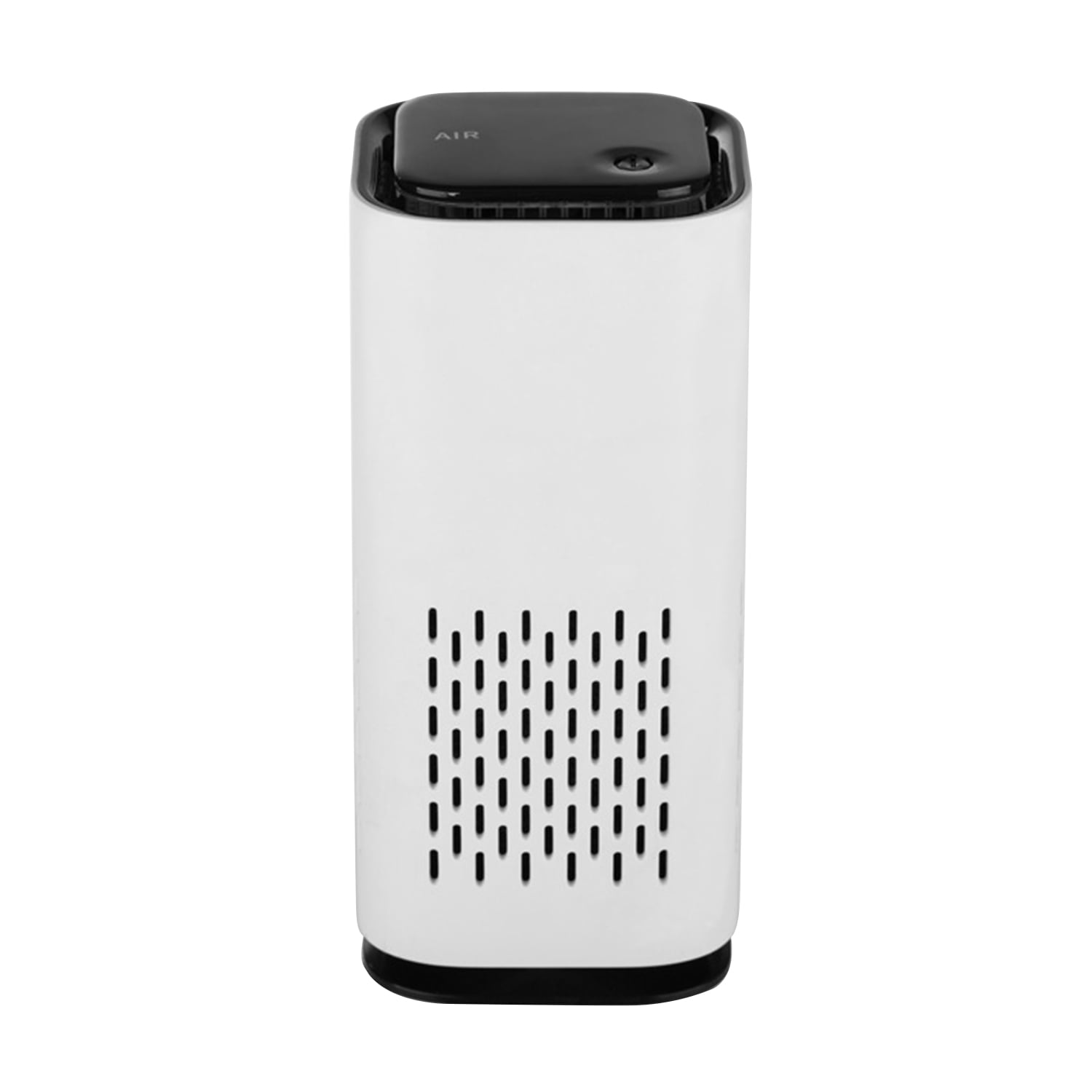
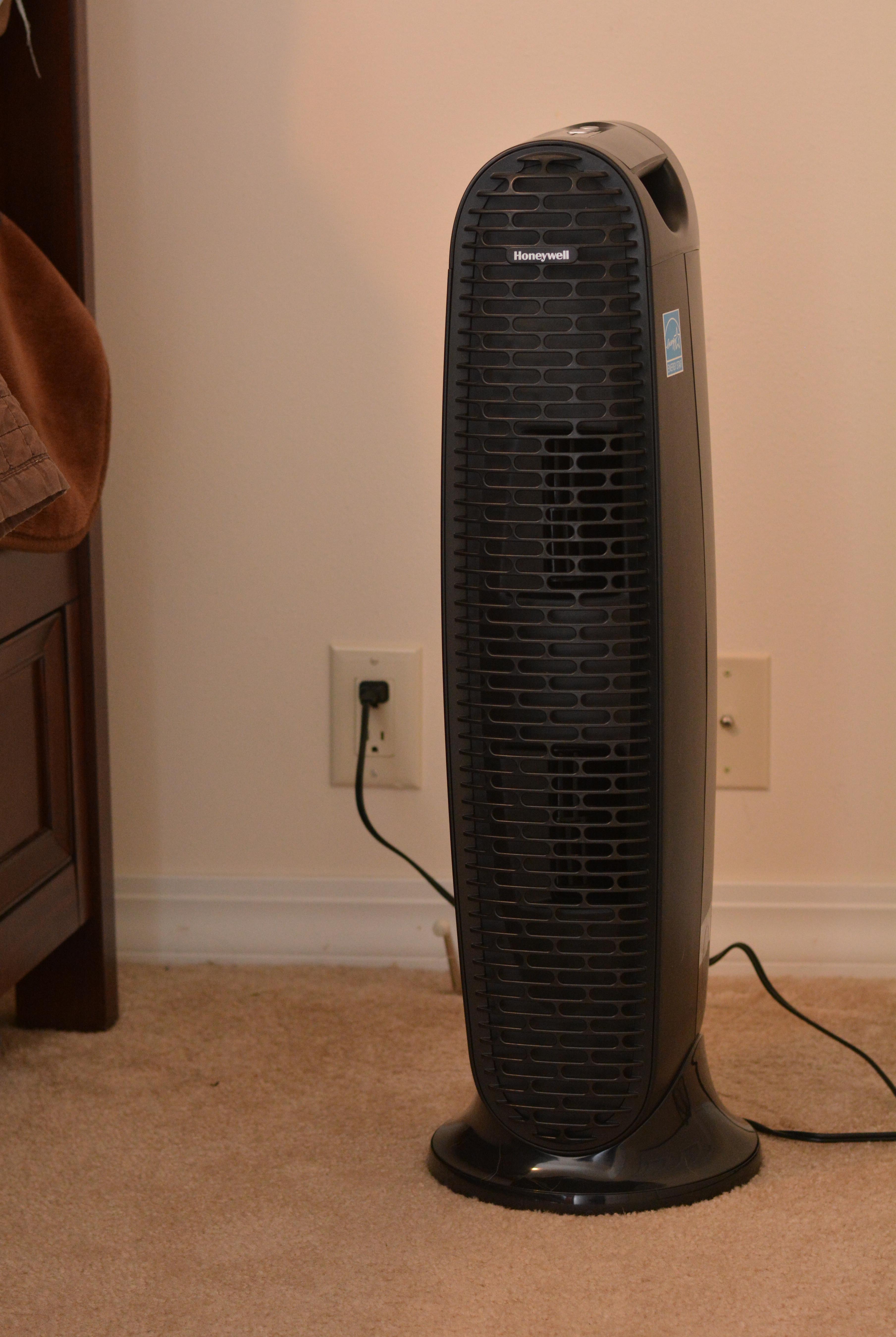
We were slightly disappointed by the air purifier's rather boxy appearance. (Though, at least it is still clean-cut and sleek.) However, the design aesthetic is not a deal-breaker for us. Removing and cleaning the filter is easy, and this air purifier has four stages of filtration.

Best Air Purifiers for Pets, Tested and Reviewed

air purifier for pet hair

This purifier will automatically sense changes in air quality and react to best clean the air, and then reports changes directly to the linked app and the control panel. Backward airflow mode allows you to use the purifier alone without a cooling effect as well. Sleek but versatile, the VEVA 9000 also has a small dust and premium activated carbon filter for pet oders, while the pre-filter takes care of larger particles like pet hair.

Additional Tips for Keeping Cat Hair and Dander Under Control

They’re the gold standard in medical facilities, cleanrooms, and have even been used to arrest radioactive contaminants. It’s made with a patented HyperHEPA® filter, which is up to 100 times more effective than a standard HEPA filter. It captures 99.5% of particles down to 0.003 microns in size—particles ten times smaller than a virus.

The machine syncs up with the MyDyson app so you can control the action from anywhere. The TP07 uses two stages of purification to capture 99.97% of particles 0.3 microns or larger and keep them there, so you don’t have to stress about your purifier shooting pet dander back out. While this air purifier can double as a fan, it also has a backwards airflow mode to give you clean air without a breeze. The 751i Air Purifier merges advanced filtration technology with a powerful fan for massive cleaning power across 1,300 square feet. It's the only other model in our round-up (along with the Blue Pure 211) that can capture contaminants down to .1 microns.

Solve Everything From Pollen to Pet Dander With This $38 Air Purifier - Real Simple

Solve Everything From Pollen to Pet Dander With This $38 Air Purifier.

Posted: Thu, 22 Feb 2024 08:00:00 GMT [source]

However, since the air purifier is extremely effective even on the low fan speed (which is just 40 decibels), you can still operate the device at night. We also liked that the device has a built-in oscillating fan, which helps promote good airflow by circulating clean air throughout the room. The fully sealed purifier ensures that none of the particles this device just captured can escape back into the air, so you'll be able to keep cool without breathing in pollutants. Though the PM 2.5 levels quickly raised to 999 when we added pollutants to the air, the Dyson air purifier had no trouble capturing and removing these particles and reducing levels back to a healthy number in 10 minutes.

For those that want to run their air purifier at night, simply put it in to sleep mode for whisper-quiet operation while you snooze. Dog hair requires some serious energy to suck up, and the Coway Airmega has plenty. This powerful air purifier can tackle spaces up to 1,560 square feet in 30 minutes, making it a great choice for your living room or entire floor of your home.

During testing, we discovered that this air purifier was one of the most effective when it came to removing smoke particles, pet hair, and allergens during testing. We detected a noticeable difference when entering the room during the testing period. This device has a user-friendly, color-coded display to help you understand your room's exact PM 2.5 levels and change settings to remove pollutants.

When the three layers of replaceable filters require maintenance, a light on the unit’s display lights up, and the process of swapping out and rinsing the carbon filter is straightforward. There are also three light-up color indicators pointing out changes in air quality in real time. You can also look for additional features that make air purifiers easier to use, like timers, air quality sensors, and filter replacement indicators. Some models even have night modes that limit noise and lights so they don't disrupt your sleep. There's even a built-in air quality sensor so you can see that it's working. Plus, you can even view your home’s air quality at a glance by simply checking the display light, which is color-coded to match the air quality.

Open Learning

free graphic design courses online

The digital age has created the opportunity to study any subject you would like anytime and anywhere. No longer are the halls of higher education reserved for the wealthy or privileged. Students from all backgrounds and income levels can access information at the touch of a button, even on the go. Adobe Photoshop is a leading digital image editing software used extensively in graphic design. It's known for its robust features that allow for detailed manipulation and composition of graphic elements.

Free UX Design Courses >

And of course, if you already have a premium LinkedIn subscription, you don't need to worry about paying anything extra to complete the course. Learning to code builds other essential "soft" skills, such as analytical thinking, problem-solving, and logical thinking. You learn to break down complex problems into smaller steps and tasks. Many people have great ideas but just can't communicate what they look like. Graphic design is the key to getting those ideas out there as ‘a picture is worth a thousand words’. This course can make you the person who draws that picture, a powerful and in-demand skill that opens doors so sign up to learn what it takes to step through.

Over 40 million learners have used Alison to empower themselves

The Graphic Design Program at CalArts fosters the next generation of graphic designers through rigorous inquiry, fearless exploration and innovative making within a tight-knit studio community. The program’s curriculum is based on the Institute’s critical approach of contextualizing praxis in history, theory and broad cultural literacy, and in the Graphic Design program’s inclusive pedagogy. We aim to educate the whole student through focused metier coursework, engaged mentorship, robust critique, cross-disciplinary exploration, and fearless making in a vibrant, intimate studio community. This dynamic class introduces students to the exciting field of digital illustration.

San Diego Public Library offers wide variety of free online courses - The San Diego Union-Tribune

San Diego Public Library offers wide variety of free online courses.

Posted: Thu, 05 Mar 2020 08:00:00 GMT [source]

Excellent Free Online Graphic Design Courses

Develop skills in layout and composition, image editing, and branding and identity design. Learn the workflow of a design project, from gathering requirements to delivering the final design. Whether you're new to graphic design or seeking to expand your skills, our beginner-friendly courses provide a solid foundation to enhance your understanding of visual design concepts and strategies. Although many graphic designers pursue a Bachelor of Fine Arts (BFA), some use online courses and certification programs to gain experience and demonstrate their mastery of basic design concepts. There are a plethora of graphic design classes to choose from that teach learners core principles such as color theory, design theory, design process, logo design, interface design, and more. The field of graphic design is broad and encompasses many specializations.

Led by brand experience experts Lindsay Marsh and Jeremy Deighan, this Udemy offering packs 10 downloadable resources, full lifetime access, and a certificate of completion. Prepare to upgrade your approach to design and become a more critical storyteller after finishing this course. From the very basics like installation and setting up the software to learning about effects, patterns, shapes, logos, and other tools, you can master it all step by step. As part of course, you can download a working file to practice with as you go through the course. All in all, the Professional Logo Design in Adobe Illustrator provides a robust class for those looking to start designing logos. Led by Michael Worthington, a member of the faculty at the California Institute of Arts, the course will teach you how to implement visual, rhythm, and pattern in the design.

This graphic designing course is your gateway to mastering graphic design, accessible entirely for free through our free graphic design courses. Delve into the realm of graphic design with one of the best free graphic design courses. This course is perfect for beginners or those seeking to polish their design skills, offering a journey through graphic design's core aspects. Start with an Introduction to Graphic Design, where you'll learn the basic principles that underpin effective design. Hone your skills and learn how to build your professional design portfolio with online graphic design courses from edX and its partner institutions. Explore the wide selection of courses designed to accommodate individuals with different learning styles, schedules, and career aspirations.

Specialization - 5 course series

You will learn how to explore and study visual representation using a variety of image-making approaches by the end of this course. Please note that only learners who have received a certificate in each of the four prior specialization courses are eligible to take the capstone. This course is for you if you only want to dip your toes in the water to acquire a better knowledge of how designers think. ‍The course also includes a hands-on project that you can use to practice your skills. This 36-minute online class teaches you how to apply real-world examples in your design work. Whether you’re a beginner or looking for a refresher, Ellen and Jennifer will teach you how to assess your designs for balance and effectiveness.

I highly recommend this course both for beginners and graphic designers with some experiences. As newbie graphic designers seeking to gain experience in the industry, you can have an online presence, show off your work, get an internship, start your own project, or become a freelancer. Are you looking to learn graphic design online or start a career in graphic design? Here’s a quick summary of the best free graphic design courses but for the full list, keep reading.

Canva has grown to include a design school for those who may not have that much experience with graphic design to learn the basics and helpful hints. Self-described as a “new world of free certified learning” Alison Online offers not only classes in graphic design but also in so many different subjects, that it’s worth checking out regardless. Taking the Visual and Graphic Design (2 modules of 1.5 to 3 hours) course on the site will earn you a test-based certificate upon completion, which can be great for anyone already studying graphic design. In Professional Logo Design in Adobe Illustrator, created by Rawson Uddin, students are given lifetime access to over seven hours of on-demand video courses, and a certificate of completion at the end of the course. It will let you know about the settings and options where you will learn the differences between the elements like pixels and vectors.

Art directors with a background in graphic design manage design staff, review and approve all design elements, and present completed projects to clients. Art directors can work for magazine publishing companies, advertising and public relations firms, art collectives, and more. From the history of communication to the five basic principles of design, this course answers questions such as ‘What is design? ’, and includes exercises to help you observe how design elements are used in the real world. This introduction to graphic design history addresses everything from fonts and letterforms to posters and brands.

Many of the courses on Udemy can be perfect for someone looking to learn graphic design. We decided to highlight a few of these that we think you may find helpful, plus our list of the Top 10 Udemy courses. Anther Kiley, an LA-based graphic designer, teaches anyone who already has a basic working knowledge of and access to Adobe InDesign how to get the most out of the program’s features and tools. In fact, if you follow the below steps and enroll in a free graphic design courses, you will be well on your way to becoming a professional graphic designer. In this article, we’ve compiled the best free graphic design courses online!

From your second course, you will learn from selecting the tools to applying them to your project. If you’re looking for the best free graphic design program, Coursera Plus & it’s Graphic Design Specialization takes our pick due to its breadth and focus on the core principles. A shorter class than most, the Creating Brand Systems course is designed with designers, illustrators, enthusiasts, and creatives in mind. Those looking for a high-quality walkthrough of what it takes to create a dynamic logo that can be used across many different channels and applications will want to check this course out. With that in mind, we wanted to highlight some of the best free graphic design programs and courses that you can find online in 2023 and beyond. Aspiring graphic artists also have the option of enrolling in certification courses in areas such as virtual reality app development.

There is a great starter course for anyone looking to learn the basics of design. While not every course on their site is free, Coursera offers online graphic design courses from some top universities such as Stanford and Yale. At first glance, the site pushes you towards paying for classes but there is the option to “audit” the class. Graphic design skills translate to a wide range of projects and fields.

free graphic design courses online

By providing your email, you confirm you have read and acknowledge General Assembly’s Privacy Policy and Terms of Service. This site is protected by reCAPTCHA and the Google Privacy Policy and Google Terms of Service apply. Check out all the ways we help make careers in tech accessible to all. The Minneapolis College of Art and Design (MCAD) acknowledges it is located on traditional, ancestral, and contemporary lands of Indigenous people. This is the ancestral homeland of the Dakota and Ojibwe people, who were forcibly exiled from the land because of aggressive and persistent settler colonialism.

Whether you are curious about starting a new career, need to brush up on the latest software, or are eager to add a unique skill set to your resume, you will find something here to suit you. If you would like to have a taste of what visual and graphic designers do in the real world and start to get the basic skills to join them, then this course is for you. We explore basic design principles - covering composition, balance, contrast and hierarchy - and examine important design elements like lines, shapes, forms and textures. Studying Alison’s Visual and Graphic Design course will help to understand and master the design process and you will be ready to join an in-demand crew of professionals. The introduction to graphic illustration course consists of five sessions with approximately 10 hours of work per session.

But to grow your career in it, you must be a bit more skilled with broader visual design skills that can bring out innovative ideas at a professional level. It is also not enough to know only Photoshop, but it is mandatory that along with other skills, you must know photoshop. Graphic Designers usually use photoshop for creative purposes and for combining images, adding texts, applying effects, or editing images to convey messages meant to be delivered. In this comprehensive online graphic design class, you’ll learn pragmatic skills. Also, you’ll explore the best ways to make aesthetic design choices and start working with a variety of fonts.

Wednesday, May 1, 2024

Best Air Purifiers for Pets 2024: Reduce Pet Dander, Pet Hair, Odors

air purifier for pet hair

You should also check the Clean Air Delivery Rate (CADR), a metric that gauges how effective the machine is at filtering out various toxins and dust. Using the CADR metric, a rating of 240 is considered high while 60 is low. These portable devices work by producing chemical reactions to charged particles in the air. This causes the particles to float down and stick to surfaces, purifying the air but not removing the particles from your home. Mallory is the Head of Content at Cats.com and an NAVC-certified Pet Nutrition Coach.

Best Air Purifiers For Pets, According To Forbes Vetted Home Editors

The four levels of filtration in this air purifier include a washable pre-filter and a HEPA filter with the ability to remove particles as tiny as 0.3 microns. The Rabbit Air MinusA2 Ultra Quiet HEPA Air Purifier with Wi-Fi has a five-layered filtration system including an activated carbon filter, a specialized HEPA filter, and a custom pet allergy filter. Throughout our testing, this purifier effectively and quietly improved air quality by clearing pollutants out of the air, from pet hair and dander to volatile organic compounds, like carbon dioxide and carbon monoxide.

air purifier for pet hair

Most Space-Efficient Air Purifier for Pets

Mili Godio, NBC Select updates editor, uses this vacuum at home to clean up dog hair, dog food and dirt her furry friend brings inside after a walk. It gives you up to 60 minutes of run time on a single charge and the Digital Motorbar XL cleaner head automatically clears wrapped hair from the brush bar as you clean. You can also monitor the vacuum’s settings via its LED screen, plus turn it into a handheld vacuum to address small messes. To enjoy your air purifier's effectiveness year-round, it's essential to maintain the filters.

Do Air Purifiers Help With Cat Allergies? Vet Reviewed Facts & FAQ - Catster

Do Air Purifiers Help With Cat Allergies? Vet Reviewed Facts & FAQ.

Posted: Wed, 07 Feb 2024 08:00:00 GMT [source]

Vital 200S Smart Air Purifier

After careful consideration, our top pick for 2024 is the Levoit’s Core P350 Pet Air Purifier, an updated model with a custom filter that deodorizes the air while effectively pulling out dander. But, there are many more worth considering, depending on your needs and budget. The large-sized model shown here claims to clean the air as often as five times an hour and remove up to 99.97% of airborne particles.

In addition to the unpleasant smells (think accidents on the carpet and litter box odors), all the pet hair and dander floating around can be almost unbearable for allergy sufferers. We did struggle to initially identify how the fan settings were displayed, but we discovered a faint Roman numeral light beside the fan button, which displays a "I," "II," or "III" in conjunction with the fan speeds. That said, this air purifier may be difficult to monitor in direct light, given the faint display lights. On top of all the thoughtful features we've explained, we also think this air purifier's handle makes it great for transporting between rooms. While it might be best functioning as a floor model, it could fit on a larger table, kitchen island, or dresser.

Out of these $100 units, Morento HY4866 at least seems to have some reliability. It doesn’t have H13 HEPA filters, low noise levels, or even a 200 CADR rating, but some reliability is better than nothing. Usually, the problem here is reliability (as well as, obviously, bad specs). Most of these units break down within a year and the only thing they are good for after that is gathering dust (the opposite of what air purifiers should be used for).

Air Purifiers

We thought the Winix 9800's filtration system did a great job improving the air quality in our testing—and it did so in only five to 10 minutes. It did not perform as well at picking up pet hair in our lab, but we will point out that most air purifiers are not designed to actually suck up pet hair. However, we still think this unit is a great option for anyone looking for an especially quiet air purifier. However, one reason we love this air purifier is its sleep mode, which keeps the unit running at a particularly quiet level when it’s time to hop on a virtual meeting. It also has a straightforward display, in which different colors of light let you effortlessly read the air quality.

However, what you gain in consistent power you lose in portability with a corded vacuum, says Neumann. Send fresh air to every corner of the room with the Levoit Vital 200S Smart Air Purifier. With premium 3-stage filtration and an additional U-shaped air inlet that helps capture airborne pet fur, you can refresh your home in minutes. Our team member who used this purifier in her home for six months noticed she coughed less after keeping it on its lowest setting every day.

It’s range is pretty impressive for its size, working in rooms up to 1070 square ft, and you’ll barely notice it’s there, even on the quietest setting. You won’t have to sacrifice style for comfort either, since this filter can be wall-mounted and comes with different skins inspired by works of art from Monet to Van Gogh. We’ve rounded up some of the best air purifiers that you can buy online right now. The pungent, ammonia-like smell of urine is produced by bacteria decomposing the urea (protein breakdown waste).

This splurge-worthy Alen BreatheSmart air purifier can be customized to your preferences in two ways. There are eight different finishes available, including classic white and brushed stainless, so you can choose one that matches your aesthetic. We used the Rabbit Air A3 at home for two months and noticed a quick improvement in air quality and less dust built up on surfaces. While the bulky size is a bit of a downside, we love that it can be hung on a wall to keep it out of the way.

Products that earn the seal have been put through rigorous testing to make sure they're worth a spot in your home. We buy most of the products we test ourselves, but occasionally we are provided samples by companies if buying isn't an option. In these cases, we use the same testing criteria we use to test the purchased products. She also spoke with Kenneth Mendez, President and Chief Executive Officer of the Asthma and Allergy Foundation of America, for his expertise on this topic. The article has been updated by commerce editor Erin Mayer who manages air purifier content for BHG. All you need is a place it plug it in—ideally near a little box or crate—and you're good to go.

Air purifiers are a great way to get rid of pet odors and reduce the amount of fur floating in the air. If pet odors are your main concern, look for a model with an activated carbon filter, like the Rabbit Air A3, to absorb smells coming from the litter box or unexpected accidents. While we had a hard time discerning if the air purifier was even working on its silent (lowest) setting—props to the quiet operation—it did a great job of purifying the air in our testing room.

After our full reviews, you’ll find more information on how we test air purifiers, plus expert advice for choosing the best model for your home. Don’t miss our other pet-friendly buying guides, including our best vacuums for pet hair, top-rated carpet cleaners and our favorite carriers for dogs and cats. The Levoit Core Mini Air Purifier is small—measuring 6.5 x 6.5 x 10.4 inches— and is designed to clear the air in spaces up to 337 square feet, so it's ideal for use in smaller spaces, such as a bedroom, den, or office. It weighs a little over 2 pounds, making it easy to move around until you find the right spot for it to work. Beyond cleaning your floors, this Dyson model has a dog grooming tool to remove loose hairs, dead skin and other allergens directly from long-haired pets. The vacuum has a 35-foot cord and its construction allows you to swivel around furniture easily.

He also writes product reviews and how-to articles on appliances, smart home technology, and goods for the home. Connected to a smart assistant, it’s customizable and configurable from anywhere. The Medify MA-112 fan can generate a maximum airflow of 563 CFM (Speed 4), running at 120W max. There is no other H14 HEPA filter that could operate 100% output, producing 500+ CFM airflow, and consume less than 0.1 kWh of electricity per hour. With such airflow, it has a coverage area of 5 ACH (changes the air in the room every 12 minutes) of 838 sq ft. In fact, you can choose H13 or H14 HEPA filters, but we all know that H14 HEPA filters are the best dust filters.

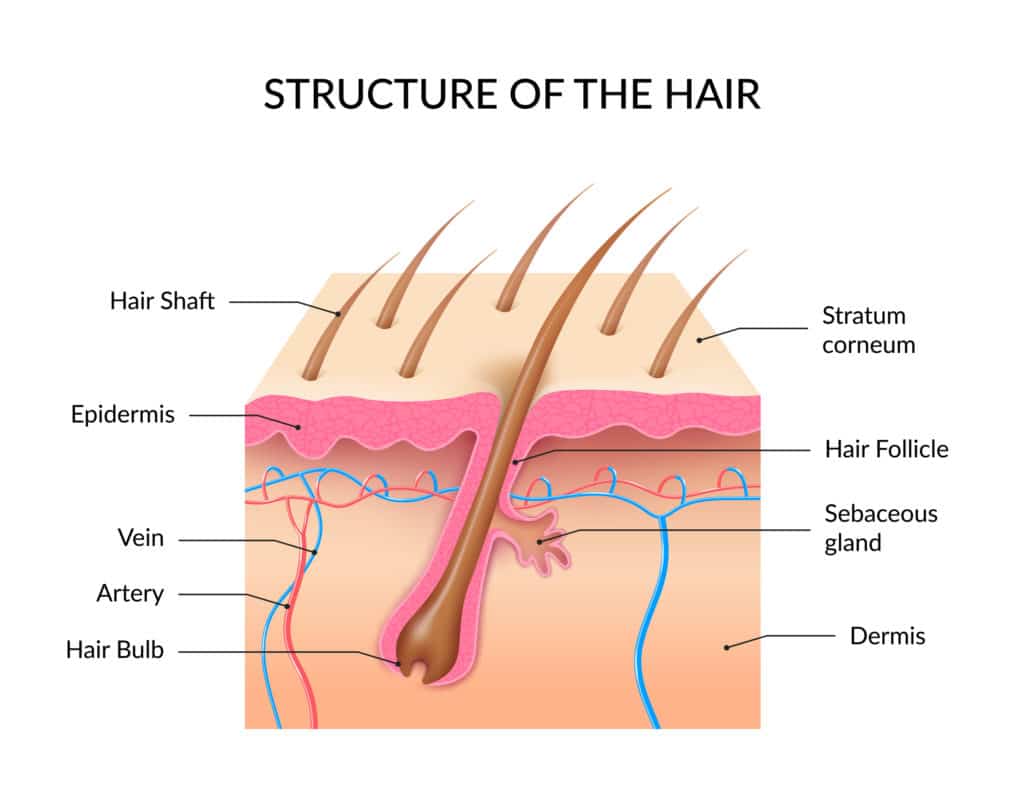
In brief: What is the structure of hair and how does it grow? InformedHealth org NCBI Bookshelf

Table Of Content What Is a Hair Transplant? Pattern Wide Tooth Comb Holiday Hairstyles Hair and follicle morphology DEEP SIDE PART How to cr...